
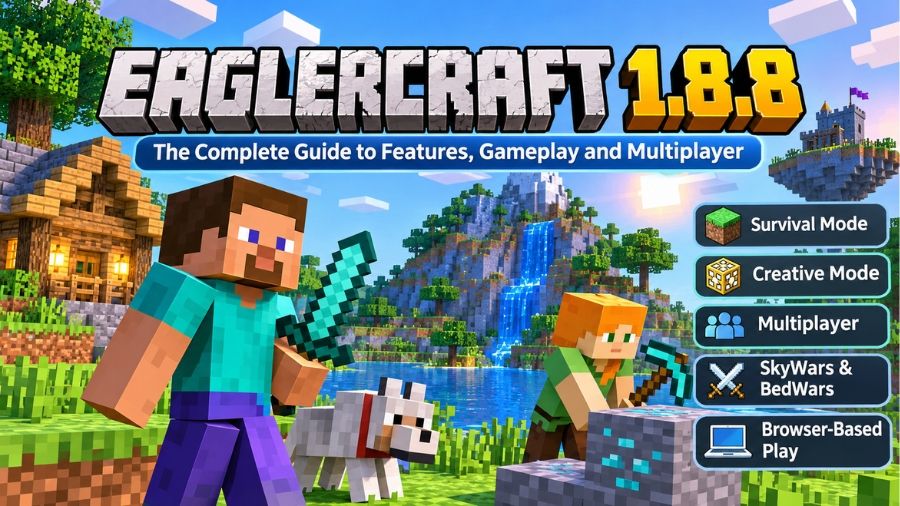
Eaglercraft 1.8.8 is a browser-based version of Minecraft that brings the familiar block-building experience to computers, Chromebooks, and compatible mobile devices without requiring a traditional game installation. Built to run through modern web technologies, it allows players to explore worlds, collect resources, construct buildings, enjoy survival gameplay, and connect with multiplayer communities. Its popularity comes from its accessibility and compatibility with a wide range of devices, particularly for players who cannot install the standard Minecraft Java Edition launcher. Whether someone wants to experience classic Minecraft gameplay, participate in competitive player-versus-player matches, or create a private world with friends, Eaglercraft 1.8.8 offers several interesting possibilities. Understanding its features, technical foundations, multiplayer options, advantages, and limitations helps players decide whether this browser-based experience suits their gaming preferences.
What Is Eaglercraft 1.8.8?
Eaglercraft 1.8.8 is a community-developed browser adaptation of Minecraft Java Edition 1.8.8. Instead of requiring the traditional Java game launcher, it uses technologies that allow the game to operate inside a web browser. The project was created to make the familiar Minecraft experience accessible on devices where installing conventional desktop software might be difficult or restricted. Players can enter a compatible website, select the 1.8.8 version, and begin playing without going through a traditional installation process. The gameplay retains many recognizable elements of the original Minecraft experience, including block placement, mining, crafting, exploration, survival challenges, and multiplayer activities. Eaglercraft is an independent community project rather than an official Minecraft release, and its developers are not affiliated with Mojang or Microsoft. This distinction is important because the browser adaptation has its own development history, compatibility requirements, and distribution arrangements.
How Does Eaglercraft 1.8.8 Work?
Eaglercraft 1.8.8 works by adapting Minecraft’s game functionality to technologies supported by modern web browsers. Its development uses ahead-of-time compilation, which transforms Java-based code into formats that can operate within browser environments. TeaVM is an important part of this technical approach, while an OpenGL compatibility layer helps translate graphics operations into functionality supported by WebGL. This allows the game to reproduce much of the familiar Minecraft Java Edition experience without requiring a conventional Java runtime installation on the player’s computer. The project also supports JavaScript and WebAssembly-based builds, providing different ways to run the browser client. JavaScript offers broad browser compatibility, while WebAssembly can provide performance advantages on supported configurations. The actual experience depends on the browser, graphics hardware, available memory, and the specific build being used. Although the technology makes browser gameplay possible, it does not mean every feature will perform identically to the original desktop edition.
Main Features of Eaglercraft 1.8.8
Eaglercraft 1.8.8 includes several features that make it appealing to players familiar with classic Minecraft. Its gameplay combines traditional building and exploration with multiplayer functionality, resource customization, and browser-based accessibility. The availability of different activities allows beginners and experienced players to enjoy the game in their preferred way. Singleplayer exploration, competitive matches, creative construction, and community-hosted servers contribute to its overall appeal. The experience also supports various customization options, allowing players to adjust aspects of the game according to their preferences and hardware capabilities. Rather than being limited to one type of gameplay, Eaglercraft provides an environment where different Minecraft-style activities can coexist.
Singleplayer and Survival Mode
Singleplayer mode allows players to create and explore their own worlds without joining an online multiplayer server. Survival gameplay follows the familiar Minecraft formula, where players collect materials, craft equipment, construct shelters, and manage resources while exploring their surroundings. The environment provides opportunities to discover different landscapes, gather useful blocks, and develop increasingly advanced structures. Players can progress at their own pace without competing against other participants. EaglercraftX 1.8 also supports locally stored singleplayer worlds, meaning saved progress can remain available through the same browser profile. This feature makes the game suitable for people who prefer independent exploration or want to enjoy Minecraft-style gameplay when an internet connection is unavailable.
Creative Mode and Building
Creative mode offers a different experience by focusing on construction rather than resource management or survival challenges. Players can use available blocks to design houses, castles, cities, landscapes, and imaginative structures without following the limitations of traditional survival progression. The freedom to experiment with different building materials makes this mode useful for beginners learning construction techniques and experienced players developing larger projects. Creative gameplay also provides an opportunity to understand block combinations, architectural layouts, and decorative designs. Because the game runs through a browser, players can access their creative environments without installing the traditional desktop launcher, although browser storage and device performance remain important considerations when creating larger worlds.
Multiplayer and Competitive Gameplay
Multiplayer functionality is one of the most attractive aspects of Eaglercraft 1.8.8. Players can connect to compatible community servers and participate in activities with people from different locations. These servers may offer survival environments, competitive battles, minigames, and other community-created experiences. However, not every standard Minecraft server automatically supports browser-based Eaglercraft connections. Server operators need compatible networking support, commonly through software such as EaglerXServer, which helps bridge browser WebSocket connections with conventional Minecraft server networking. This compatibility system allows participating communities to provide multiplayer experiences to browser players. Before joining a server, users should check its supported version, connection requirements, community rules, and current availability.
Popular Game Modes in Eaglercraft 1.8.8
Different game modes provide different reasons to play Eaglercraft, making the experience more flexible than a basic building game. Some players prefer competitive challenges, while others enjoy cooperative exploration or independent construction. Community servers frequently introduce their own variations, rules, and activities, so the available selection depends on the server being visited. Popular Minecraft-style modes such as SkyWars, BedWars, Survival, and Skyblock are commonly associated with the broader Eaglercraft multiplayer community. These activities encourage players to develop different skills, including resource management, strategic thinking, teamwork, and combat awareness. The exact selection is not guaranteed across every server, and individual communities may change their available game modes over time.
SkyWars and BedWars
SkyWars and BedWars are popular competitive minigames that appeal to players who enjoy fast-paced multiplayer challenges. In SkyWars, participants generally begin on separate floating islands and collect resources while attempting to eliminate opponents. Movement, equipment management, positioning, and combat decisions influence the outcome of each match. BedWars follows a team-based format in which players collect resources, purchase equipment, protect their beds, and attempt to destroy opposing teams’ beds. These game modes combine Minecraft’s familiar block mechanics with competitive objectives. Their availability depends on the multiplayer server, but they remain recognizable examples of the activities players may encounter in the Eaglercraft community.
Skyblock and Survival Servers
Skyblock provides a different type of challenge by placing players in a limited environment with restricted starting resources. Progress involves carefully managing available materials, expanding the island, and completing objectives that help develop the world. Survival servers offer a more traditional experience where participants gather resources, build settlements, explore environments, and interact with other players. Some communities introduce additional systems such as player economies, land protection, custom events, and progression challenges. These features can make multiplayer survival more engaging because players have opportunities to cooperate, trade, and establish long-term projects. However, the experience varies considerably between individual server operators.
Device Compatibility and Performance
One of the main advantages of Eaglercraft 1.8.8 is its ability to operate through compatible web browsers rather than depending on a conventional desktop installation. The official project website describes support for computers, Chromebooks, and compatible mobile devices, making it accessible to different types of users. Modern browsers with appropriate WebGL support provide the foundation for its graphical environment. Nevertheless, compatibility does not guarantee identical performance on every device. Older computers, limited memory, outdated browsers, and weaker integrated graphics can affect loading times and gameplay smoothness. Players using mobile devices may also experience differences in control responsiveness and screen usability. Selecting an appropriate client build and keeping the browser updated can help improve the overall experience.
JavaScript and WebAssembly Versions
Eaglercraft 1.8.8 is available in JavaScript and WebAssembly-based configurations, depending on the distribution and browser support. The JavaScript version is generally the more widely compatible option because it works across a broader selection of modern browsers. WebAssembly can offer improved performance in supported environments, although its compatibility depends on the specific runtime and browser configuration. Players should not automatically assume that the fastest advertised build will work best on every device. Testing the available options can help identify the most stable experience for a particular computer. Browser updates, graphics drivers, and available system resources can also influence performance.
How to Play Eaglercraft 1.8.8 Online
Starting Eaglercraft 1.8.8 is relatively straightforward because the browser-based version does not require a traditional launcher installation. Players should begin by visiting a trusted Eaglercraft distribution website and locating the 1.8.8 version in its available game selection. After opening the compatible client, the browser loads the necessary resources and displays the game interface. Players can then select singleplayer or multiplayer, depending on their preferences. Singleplayer users can create a new world and begin exploring, while multiplayer users can enter the connection details of a compatible server. It is important to use reputable websites and avoid unfamiliar downloads or pages requesting unnecessary personal information. The official Eaglercraft website provides access to its available versions and relevant information about the project.
Controls and Gameplay Experience
The control system in Eaglercraft 1.8.8 follows familiar Minecraft keyboard conventions, making it relatively easy for experienced players to understand. The WASD keys control movement, the spacebar allows jumping, and Shift is commonly used for crouching. The E key opens the inventory, while the number keys select items from the hotbar. Players can use the mouse to look around, interact with blocks, and perform different actions during gameplay. The T key opens chat, and the slash key provides access to commands when supported by the current environment. Some versions also offer additional options for adjusting the viewing experience. Players who are new to Minecraft may need time to become comfortable with movement, inventory management, crafting, and combat controls. However, the familiar layout helps make the transition easier for people who have previously played the original game.
Saving Worlds and Playing Offline
World-saving functionality is particularly important for players who want to continue their progress across multiple gaming sessions. EaglercraftX 1.8.8 supports singleplayer worlds stored through browser-based storage, allowing users to return to their creations later. This also means that saved progress can depend on the browser profile and device being used. Clearing browser data, changing browsers, or resetting the device may affect stored worlds if they have not been backed up. The project also provides import and export options that help players transfer supported world files between environments. Offline gameplay is possible when the required client and resources are already available locally, although multiplayer servers and shared worlds naturally require an internet connection. Regularly exporting important worlds is a sensible precaution for anyone investing significant time in building or exploring.
Advantages and Limitations of Eaglercraft 1.8.8
Eaglercraft 1.8.8 offers several practical advantages, particularly for users who want browser-based access to Minecraft-style gameplay. Its biggest strength is convenience because players can start the game without following the traditional launcher installation process. The availability of singleplayer, multiplayer, creative building, and competitive minigames also gives users different ways to enjoy the experience. Its browser-oriented design makes it especially useful on compatible Chromebooks and computers with limited software installation permissions. However, the project also has limitations. Performance depends on the browser and hardware, while some features may behave differently from the original Minecraft Java Edition. Multiplayer availability relies on compatible servers, and unofficial websites can introduce security concerns. Browser storage can also create risks for saved worlds if users do not maintain backups. Understanding these advantages and limitations helps establish realistic expectations before choosing Eaglercraft as a regular gaming option.
Safety, Privacy, and Responsible Use
Safety should be considered whenever using browser-based games distributed through independent websites. Eaglercraft’s official website explains that it is not affiliated with Mojang or Microsoft, so players should not confuse it with the official Minecraft service. Users should avoid entering their Microsoft account credentials into unofficial pages and should be cautious about downloading unfamiliar executable files. Multiplayer environments also require responsible communication because public servers can include unknown participants, chat interactions, and community-specific rules. Privacy policies and server moderation practices may differ between websites and individual operators. Players should also understand that browser storage can contain personal game progress and settings, making device security and regular backups worthwhile. For younger players, choosing moderated communities and following appropriate online safety practices can help create a more comfortable gaming experience.
The Future of Eaglercraft 1.8.8
Eaglercraft 1.8.8 continues to hold an important place within the browser-based Minecraft community because of its established multiplayer compatibility and recognizable gameplay. Development updates have focused on areas such as browser compatibility, graphics performance, rendering stability, and technical improvements. The official project published EaglercraftX 1.8 updates during 2025, including u53, which introduced performance improvements and various fixes. Meanwhile, the wider Eaglercraft ecosystem has continued to provide access to different game versions and community-hosted experiences. Its future development will depend on continued technical maintenance, browser compatibility, community contributions, and the availability of multiplayer infrastructure. Although no particular future feature or release should be assumed without an official announcement, the project’s browser-based approach demonstrates how established gaming experiences can be adapted for different computing environments.
Conclusion
Eaglercraft 1.8.8 provides an accessible way to enjoy familiar Minecraft gameplay through a modern web browser. Its combination of survival, creative construction, multiplayer servers, competitive minigames, and browser-based technology makes it an interesting alternative for players who prefer not to install a traditional game launcher. JavaScript and WebAssembly builds offer different compatibility and performance possibilities, while local world storage and import/export functionality support independent gameplay. At the same time, users should understand its differences from official Minecraft Java Edition, choose reputable websites, and protect their saved worlds. Overall, Eaglercraft 1.8.8 represents an interesting community-driven approach to making classic block-building gameplay accessible across a wider range of devices.
FAQs
1. Is Eaglercraft 1.8.8 free to play?
Yes, Eaglercraft 1.8.8 can be played through compatible browser-based distributions without purchasing a traditional Minecraft launcher or installing desktop software.
2. Can I play Eaglercraft 1.8.8 without downloading anything?
Yes, the browser version runs directly through compatible websites, although offline gameplay requires obtaining a suitable local client beforehand.
3. Does Eaglercraft 1.8.8 support multiplayer?
Yes, players can join compatible multiplayer servers supporting browser connections and enjoy activities such as survival, SkyWars, BedWars, and other minigames.
4. Can I play Eaglercraft 1.8.8 on a Chromebook?
Yes, compatible Chromebooks can run Eaglercraft through modern web browsers, provided the device supports the necessary graphics and browser technologies.
5. Can I save my worlds in Eaglercraft 1.8.8?
Yes, singleplayer worlds can be stored using browser storage, and supported import/export features help players back up or transfer their creations.
6. Is Eaglercraft 1.8.8 an official Minecraft release?
No, Eaglercraft is an independent community-developed browser adaptation of Minecraft Java Edition and is not officially affiliated with Mojang or Microsoft.
Also read: A2E