
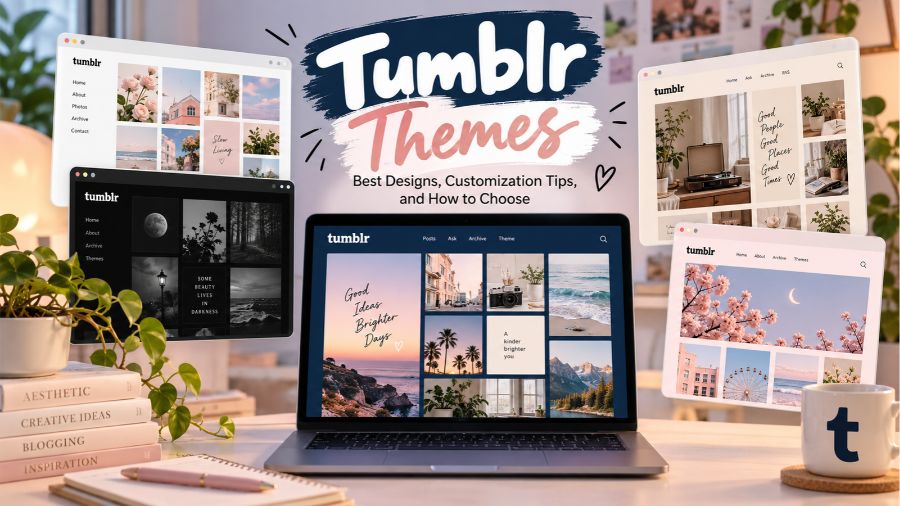
Tumblr Themes offer a simple way to transform an ordinary blog into a visually appealing space that reflects your personality, interests, and creative style. Whether you enjoy sharing photography, writing personal posts, collecting aesthetic images, or building a professional portfolio, the right theme can make your Tumblr blog feel more organized and memorable. From minimalist layouts to colorful designs and image-focused grids, there are plenty of options to explore.
Choosing a theme is about more than making your blog look attractive. A good design also improves readability, helps visitors navigate your content, and creates a consistent experience across different devices. With so many styles available, understanding the features, customization options, and installation process can help you find a design that suits your needs without unnecessary effort.
What Are Tumblr Themes?
Tumblr themes are website templates that determine the appearance and layout of a Tumblr blog when visitors view it through a web browser. They control visual elements such as background colors, typography, post layouts, navigation menus, sidebars, and profile information. Some themes focus on displaying images, while others emphasize written content or combine text and media in a balanced layout.
Many themes include customization settings that let users change colors, fonts, header images, and other design elements without editing code. More advanced themes may support custom HTML and CSS, allowing experienced users to adjust the layout or add specific design features. This flexibility makes Tumblr appealing to beginners who want a quick setup and experienced creators who prefer greater control over their websites.
Why Tumblr Themes Matter for Your Blog
The appearance of your blog influences how visitors interact with your content. A cluttered layout can make posts difficult to read, while an organized design encourages people to explore more pages and discover older entries. A suitable theme creates a visual structure that helps readers understand your content without feeling overwhelmed by unnecessary elements.
Themes also help establish a recognizable identity. For example, a photography blog might benefit from large images and generous spacing, while a personal diary could work better with a simple layout and readable typography. Selecting a design that matches your content makes your blog feel more intentional and gives visitors a clearer idea of what they can expect.
Best Types of Tumblr Themes to Explore
There is no single theme that works for every Tumblr user. The best option depends on the kind of content you publish, the visual style you prefer, and how you want visitors to experience your blog. Exploring different categories can help you narrow down your choices before committing to a particular design.
Minimalist Tumblr Themes
Minimalist Tumblr themes focus on simplicity, clean typography, and plenty of whitespace. They usually avoid excessive animations, complicated navigation, and distracting decorative elements. This approach makes them suitable for writers, personal bloggers, and creators who want their content to remain the main attraction.
A minimalist design can also make a blog feel more polished without requiring extensive customization. Neutral backgrounds, clear headings, and consistent spacing work well for different types of posts. If you frequently publish longer text entries, choose a theme with a comfortable reading width and enough contrast between the text and background.
Aesthetic Tumblr Themes
Aesthetic Tumblr themes are popular among users who want their blogs to express a particular mood or visual identity. Common styles include pastel colors, vintage details, soft gradients, dreamy backgrounds, and carefully arranged images. These designs are especially appealing to people who share inspiration, personal interests, fashion, music, or mood boards.
The key to creating an attractive aesthetic blog is maintaining consistency. Choose a small group of complementary colors, use images that fit your preferred style, and avoid combining too many decorative elements. A visually coordinated theme can make your blog feel distinctive without sacrificing readability or making navigation confusing.
Photography Tumblr Themes
Photography themes are designed to showcase visual content. They often feature large images, masonry grids, gallery layouts, or full-width posts that allow photographs to stand out. These designs are useful for photographers, digital artists, travel enthusiasts, and anyone who regularly shares image collections.
When selecting a photography theme, pay attention to how images are cropped and displayed. Some layouts preserve the original image proportions, while others use fixed dimensions to create a uniform grid. If your photographs have different shapes and sizes, a flexible layout may present them more naturally and reduce the risk of important details being cut off.
Dark Tumblr Themes
Dark Tumblr themes use black, charcoal, navy, or other deep colors as their primary backgrounds. They can create a dramatic appearance that works well for gothic aesthetics, gaming content, music blogs, digital art, and personal collections. Many users also appreciate the understated look of a dark interface.
However, a dark background alone does not guarantee a comfortable reading experience. Text should have sufficient contrast, and links should remain easy to identify. Avoid extremely small fonts and overly bright text that can become tiring to read. A well-designed dark theme balances atmosphere with accessibility.
Vintage and Retro Tumblr Themes
Vintage and retro themes draw inspiration from older websites, printed magazines, film photography, and classic design styles. They may include muted colors, serif fonts, textured backgrounds, decorative borders, or nostalgic visual details. These elements can give a blog a distinctive personality, especially when the content focuses on music, fashion, art, or memories.
Although retro designs can be visually interesting, they should still be practical. Look for readable typography, clear navigation, and layouts that adapt to modern screens. A theme can capture a nostalgic feeling without making the blog difficult to use on a smartphone.
Portfolio Tumblr Themes
Portfolio themes are designed to present creative work in a structured and professional format. Artists, illustrators, designers, photographers, and other freelancers can use them to organize projects and highlight their strongest work. Depending on the layout, a portfolio may include a project grid, an introduction, an about section, and contact information.
If you plan to use Tumblr as a professional portfolio, choose a theme that puts your work first. Keep the navigation straightforward and make important information easy to find. A clean presentation helps potential clients understand your skills and creative approach without having to search through unrelated posts.
Free vs. Premium Tumblr Themes
Free Tumblr themes are a practical starting point for anyone who wants to improve a blog without spending money. They can offer attractive layouts, basic customization, responsive designs, and useful features for personal blogging. For many users, a well-designed free theme provides everything needed to create a distinctive online presence.
Premium themes may offer more advanced layouts, additional customization controls, specialized post designs, or dedicated support from the creator. However, paying for a theme does not automatically make it better. Before purchasing one, review its features, compatibility, update history, and licensing terms. Compare the available options carefully and choose a paid design only when its benefits justify the cost.
Where to Find Tumblr Themes
The official Tumblr Theme Garden is a natural starting point for discovering designs intended for the platform. It provides a range of themes that users can explore according to their preferred appearance and functionality. Depending on the available selection, you may find minimalist layouts, creative portfolios, photography designs, and more traditional blog templates.
Independent theme designers also create free and premium Tumblr themes. These creators sometimes offer specialized layouts with more distinctive visual styles than general-purpose templates. When exploring third-party options, check whether the theme is still maintained and whether its installation instructions are clear. You should also confirm that the theme is intended for Tumblr rather than another blogging platform, as templates are not always interchangeable.
How to Choose the Right Tumblr Theme
Choosing the right theme becomes easier when you begin with the purpose of your blog. Think about the content you publish most often and the experience you want to provide for visitors. A blog built around photographs has different requirements from one that mainly contains essays, reviews, or personal updates.
Consider the following factors before making a decision:
- Content type: Select a layout that presents your most common post formats effectively.
- Visual style: Choose colors, typography, and spacing that reflect your personality or brand.
- Readability: Make sure text is comfortable to read and headings are easy to distinguish.
- Navigation: Look for a clear structure that helps visitors explore your blog.
- Mobile compatibility: Check that the theme works properly on smaller screens.
- Customization: Decide whether built-in settings are enough or whether you need code-level control.
- Maintenance: Prefer themes with clear documentation and reliable support when available.
It is also worth previewing a theme with realistic content before using it permanently. A design may look impressive with sample images but behave differently when filled with your own posts. Testing different post types can reveal layout problems early.
How to Install a Tumblr Theme
Installing a Tumblr theme is generally straightforward, although the exact process depends on the theme and Tumblr’s current interface. Start by opening the theme directory or locating a theme from a trusted creator. Review its preview, available features, and installation instructions before applying it to your blog.
Once you have selected a design, open the appropriate blog customization or theme settings. Depending on the theme, you may be able to apply it directly or copy its HTML code into the theme editor. Follow the instructions provided by the creator and use the preview feature when available. Before saving substantial changes, keep a copy of your existing theme code so you can restore the previous design if something goes wrong.
After installation, review your blog as a visitor would see it. Check the homepage, individual posts, images, navigation links, and any available profile information. If the design looks different from the preview, investigate the theme settings or compatibility before making additional changes.
How to Customize Tumblr Themes
Customization allows you to turn a standard template into something that feels more personal. Many themes provide controls for changing background colors, accent colors, fonts, header images, and sidebar content. Start with the settings that have the greatest visual impact rather than changing everything at once.
A consistent color palette is an effective way to improve your blog’s appearance. Choose one primary color, one or two supporting colors, and a background that allows the content to stand out. Typography matters just as much. Use readable fonts and avoid combining too many different styles, particularly when your blog contains long text posts.
For greater control, users with HTML and CSS experience may be able to modify supported theme code. Custom code can change spacing, font sizes, layout behavior, and other visual details, but incorrect edits can break the design. Make one change at a time, test the result, and retain a backup of the original code.
Common Tumblr Theme Problems and How to Fix Them
Occasionally, a theme may not display content as expected. Images might appear too large, text may overlap other elements, or certain post formats may look inconsistent. These problems can result from outdated code, incorrect settings, browser differences, or incompatibility with newer Tumblr features.
Begin troubleshooting by checking the theme’s customization options and reviewing its installation instructions. If you have recently edited the HTML or CSS, temporarily reverse the latest change to see whether the issue disappears. You can also test the blog in another browser and on a mobile device to determine whether the problem is specific to one environment.
Older themes may not handle all modern Tumblr post formats correctly. If the creator no longer maintains the design, switching to a more current theme may be more practical than repeatedly fixing outdated code. Always test important changes before relying on the theme for a public-facing portfolio or business project.
Tumblr Themes and Mobile Responsiveness
Mobile responsiveness is an important consideration because visitors may discover your blog through phones and tablets rather than desktop computers. A responsive theme adjusts its layout to suit different screen sizes, making text easier to read and navigation more comfortable to use.
When testing a theme, check whether images fit the screen, menus remain accessible, and text columns do not become excessively narrow. Buttons and links should also be easy to tap. A layout that looks excellent on a large monitor may need different spacing or image arrangements on a smartphone.
Do not assume that every modern-looking theme is fully responsive. Preview the design on multiple devices whenever possible. If your chosen theme struggles on mobile screens, look for documented responsive settings or consider a different template that provides a more consistent experience.
Tips for Making Your Tumblr Blog Stand Out
A good theme provides the foundation, but the content and small design decisions make a blog memorable. Start by choosing a clear visual direction and applying it consistently across your posts, profile, and other visible elements. Avoid filling the layout with unnecessary widgets or decorative features that compete with your main content.
Organize your posts thoughtfully and use relevant tags to help readers understand what each entry covers. Select strong cover images when appropriate, write clear descriptions, and keep important information easy to find. If your blog focuses on a specific interest, let that subject guide your visual choices rather than following every design trend.
Finally, review your blog occasionally. Remove outdated design elements, check that important features still work, and update your theme when necessary. Small improvements over time can keep your blog looking fresh without requiring a complete redesign.
Conclusion
Tumblr Themes make it easier to create a blog that reflects your personality, presents your content effectively, and gives visitors a positive browsing experience. From minimalist and aesthetic designs to photography galleries, dark layouts, and professional portfolios, there are options for almost every type of Tumblr user.
The best choice is not necessarily the most complicated or expensive theme. It is the one that matches your content, supports comfortable reading, works across different devices, and provides the customization you actually need. By comparing designs, testing layouts, and making thoughtful adjustments, you can build a Tumblr blog that looks distinctive and remains easy to use.
FAQs About Tumblr Themes
1. What are Tumblr themes?
Tumblr themes are customizable templates that control the appearance and layout of a Tumblr blog. They determine elements such as colors, fonts, backgrounds, navigation menus, sidebars, and post layouts, helping users create a blog that matches their personal style.
2. Are Tumblr themes free to use?
Yes, many Tumblr themes are available for free. Users can also find premium themes that offer additional customization options, specialized layouts, or extra features. The best choice depends on your budget, design preferences, and blogging needs.
3. How do I change my Tumblr theme?
To change your Tumblr theme, open your blog’s customization settings or browse the available themes in the Tumblr Theme Garden. Choose a design, preview it if possible, and follow the installation instructions. You can then adjust supported settings and save your changes.
4. Can I customize Tumblr themes without coding?
Yes, many Tumblr themes include built-in customization options that let you change colors, fonts, header images, and other design elements without writing code. However, advanced modifications may require knowledge of HTML and CSS, depending on the theme.
5. Which Tumblr themes are best for photography blogs?
Photography blogs generally benefit from themes featuring image grids, gallery layouts, large photographs, or flexible image arrangements. Choose a responsive design that displays images clearly, preserves their proportions when possible, and makes navigation easy on desktop and mobile devices.
Also Read: 402 Area Code